FelixAI
Built with
Features
Open source desktop companion for the Cognee hackathon — memory that actually persists.
Vision describes your screen before Cognee answers.
Every exchange stored and connected in Cognee.
Ask about last week — Felix pulls from your local graph.
Speak your question with Deepgram built in.
Sensitive chats isolated. Forget private in one command.
Cognee in Docker on your machine. No cloud lock-in.
localhost:8000 · Docker
Your machine. Your graph.How it works
FelixAI handles vision and UI. Cognee holds the brain.
Step 1
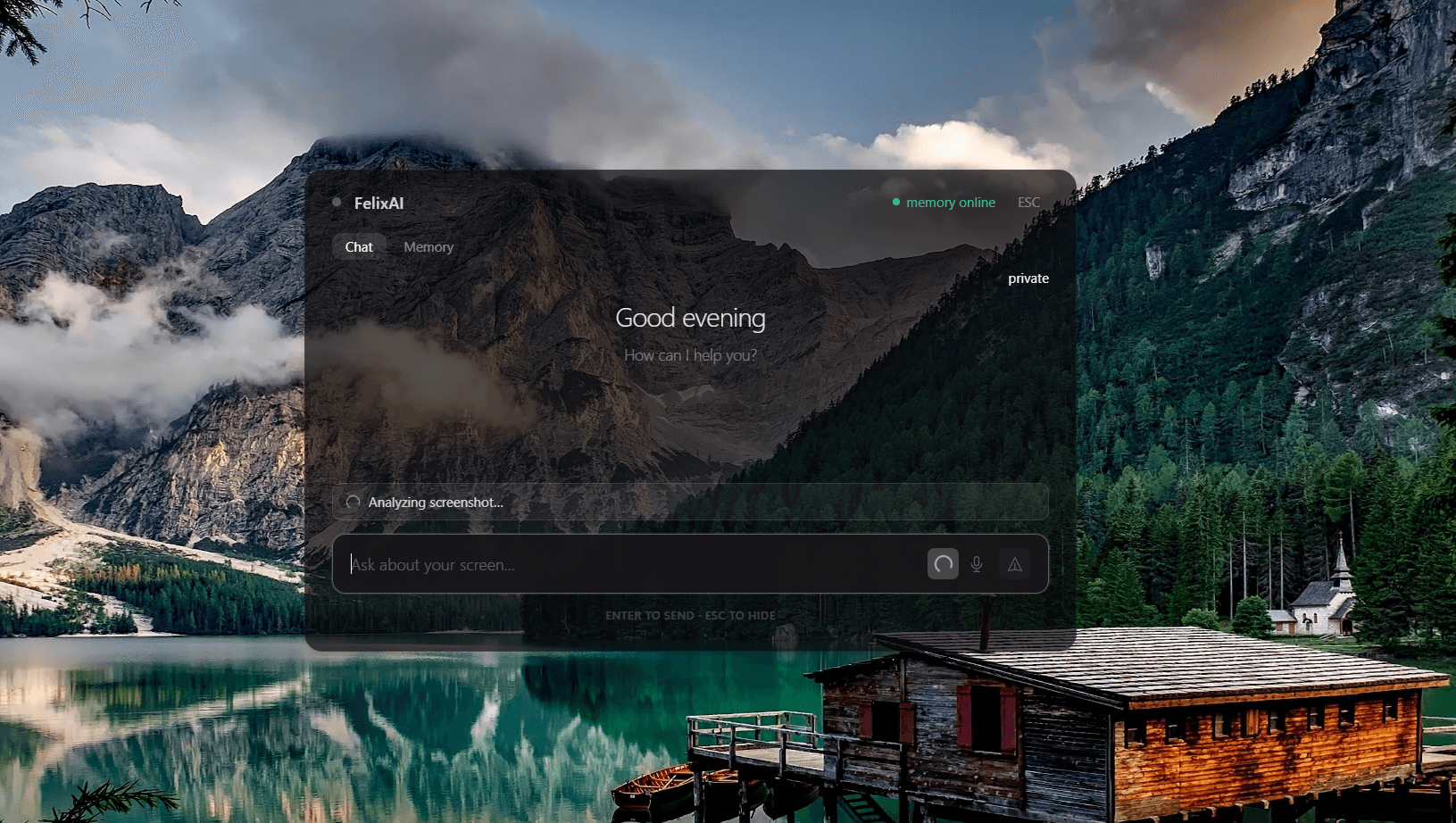
Ctrl+Shift+Space captures your screen.
Step 2
OpenRouter reads what's on screen.
Step 3
Cognee answers from graph + context.
Step 4
Reply shown in the tray popup.
Step 5
Exchange saved. Graph improves.
FelixAI & Cognee
What is FelixAI?
FelixAI is a desktop companion in your system tray. Press Ctrl+Shift+Space to capture your screen, ask a question, and get an answer from Cognee's knowledge graph — informed by live screen context from OpenRouter vision.
What role does Cognee play?
Cognee is FelixAI's brain. It stores every exchange in a knowledge graph, answers via recall(GRAPH_COMPLETION), and improves over time with remember() and improve() — all running in Docker on your machine.
Is my data secure?
Screenshots are taken only on hotkey and are not stored on disk. Memory lives in self-hosted Cognee. Private mode keeps sensitive chats in a separate dataset you can wipe anytime with forget private.
What do I need to run it?
Node 18+, pnpm, Docker with Cognee running, OPENROUTER_API_KEY and DEEPGRAM_API_KEY in apps/desktop/.env. Cognee's Docker needs LLM_API_KEY for graph completion.
Does it support voice?
Yes. Deepgram nova-2 is built into the chat input — tap the mic, speak, and your words appear in the question field.
Is it free to use?
FelixAI is open source for the hackathon. You bring your own API keys and self-host Cognee — no subscription, no Cognee Cloud required.